
Upload time:2026-09-29| Author:Maskking
Have you ever taken a puff from your disposable vape and noticed the indicator light blinking? If you're wondering why your disposable vape is blinking, there is usually a simple explanation.
1.Disposable Vape with a Charging Port
Many modern disposable vapes are equipped with a charging port, allowing the built-in battery to be recharged when the power level becomes low.
If a rechargeable disposable vape starts blinking frequently during use, it may be a sign that the battery is running low. In most cases, the solution is simple: connect the device to a compatible charging cable and follow the manufacturer's charging instructions.

How Light Statuses Work
Because indicator-light patterns can vary between brands and models, it is helpful to look at a real example. The Maskking ECLO uses different light behaviors to indicate its operating and battery status:
| ECLO Status | Indicator Light |
|
Vaping |
Light stays on |
| Charging | Light blinks |
| Fully Charged | Light stays on for 5 seconds |
| Low Battery | Light blinks 5 times |
For example, if the Maskking ECLO blinks five times during use, this indicates that the battery is low and the device needs to be charged. During charging, the indicator light blinks to show that the device is receiving power. Once fully charged, the light stays on for five seconds.
This makes the indicator light more than just a visual effect—it provides a simple way to understand the device's current status.
Tip: Indicator-light patterns vary between devices. Always refer to the product instructions for the specific disposable vape you are using.
How to Fix & Prevent Charging Issues
Recharge Safely:
When charging a rechargeable disposable vape such as the Maskking ECLO, use a compatible power source and charging cable according to the manufacturer's instructions. Avoid using unsuitable or damaged chargers, cables, or power accessories.
Keep the Charging Port Clean:
Dust, lint, or other debris can accumulate inside the Type-C charging port and interfere with the connection. If charging becomes inconsistent, check the port and keep it clean. Avoid inserting sharp metal objects into the charging port.
Allow the Device to Cool Down:
If the indicator light behaves unexpectedly after repeated or extended use, allow the device to rest for a while before charging or using it again. This can help avoid unnecessary stress on the battery and internal components.
Check the Indicator Before Charging
If the device repeatedly blinks but does not charge normally, check the charging connection and refer to the product instructions. If the issue continues, contact the manufacturer or retailer rather than attempting to open or modify the device.
2. Disposable Vape Without a Charging Port
Compact and classic disposable vapes—such as the iconic Maskking High GT and GTS Mini—are engineered as sealed, all-in-one systems. They come pre-charged and pre-filled, designed to deliver a precise number of puffs without needing an external charger.
What the Blinking Means
When a non-rechargeable vape like the High GT or GTS Mini starts flashing, it means the battery is completely depleted.

Manufacturers calibrate the internal battery capacity to match the e-liquid volume. Once the power reaches its safety threshold, the bottom LED light will flash repeatedly (usually 10+ times) to inform you that the battery can no longer heat the coil.
Note: If a brand-new non-rechargeable vape blinks right out of the wrapper, it usually points to a shipping defect or an auto-fire short circuit.
How to Fix It
Time for an Upgrade: Non-rechargeable units do not feature external charging ports. Once a Maskking GTS Mini or High GT begins blinking from low battery, its lifecycle is complete. Safely dispose of the unit and open a new one.
3. Smart Disposable Vapes with Built-In Screen
The latest evolution in disposable vape technology is the smart vape. Devices such as the Maskking EXTRE 100K, CAMO, and FEXO 45000 feature built-in screens that make battery and other device information easier to check.
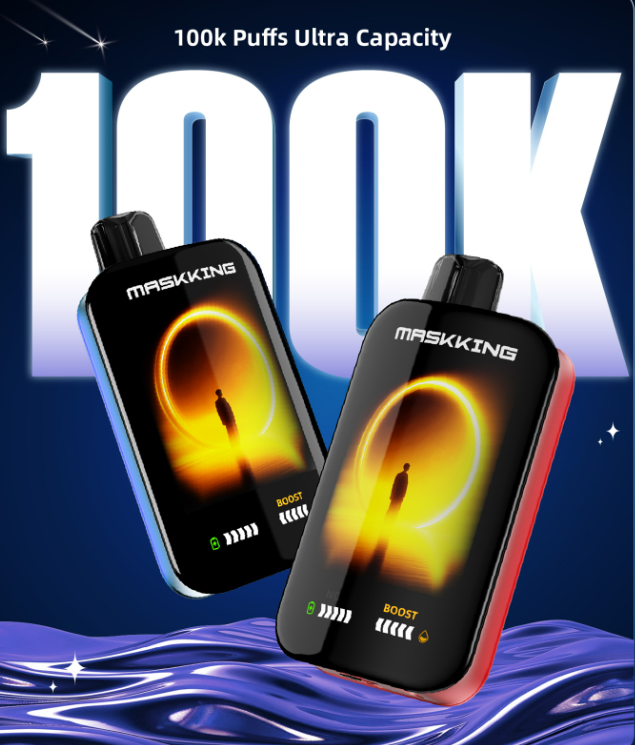
What the Screen Tells You
Smart displays reduce the guesswork associated with traditional blinking lights. Depending on the model, you may see:
Low Battery: A flashing or low battery indicator means the device needs to be recharged if it supports charging.
Low E-Liquid: A low or empty e-liquid indicator means the device may need to be replaced.
Warning Indicator: If the screen continues flashing despite sufficient battery and e-liquid, check the product instructions for the specific warning.
How to Fix It
Simply check the screen first. Recharge the device when the battery is low, replace it when the e-liquid is depleted, and follow the manufacturer's instructions if a warning indicator appears.
Summary
A blinking disposable vape is not necessarily a sign that something is wrong. The meaning depends on the type of device and its indicator system.
With a charging port: A blinking light may indicate a low battery and the device needs to be recharged.
Without a charging port: Blinking or no vapor may mean the battery has reached the end of its usable life and the device should be replaced.
With a screen: Check the display to see the battery, e-liquid, or other device status directly.
From the clear LED indicators on the Maskking ECLO, to the convenient disposable design of the GTS Mini and HIGH GT, and the smart displays of the EXTRE 100K, CAMO, and FEXO, understanding your device's signals makes it easier to know what to do when a disposable vape starts blinking.
When in doubt, always check the product instructions for your specific model and never attempt to disassemble or modify the device.